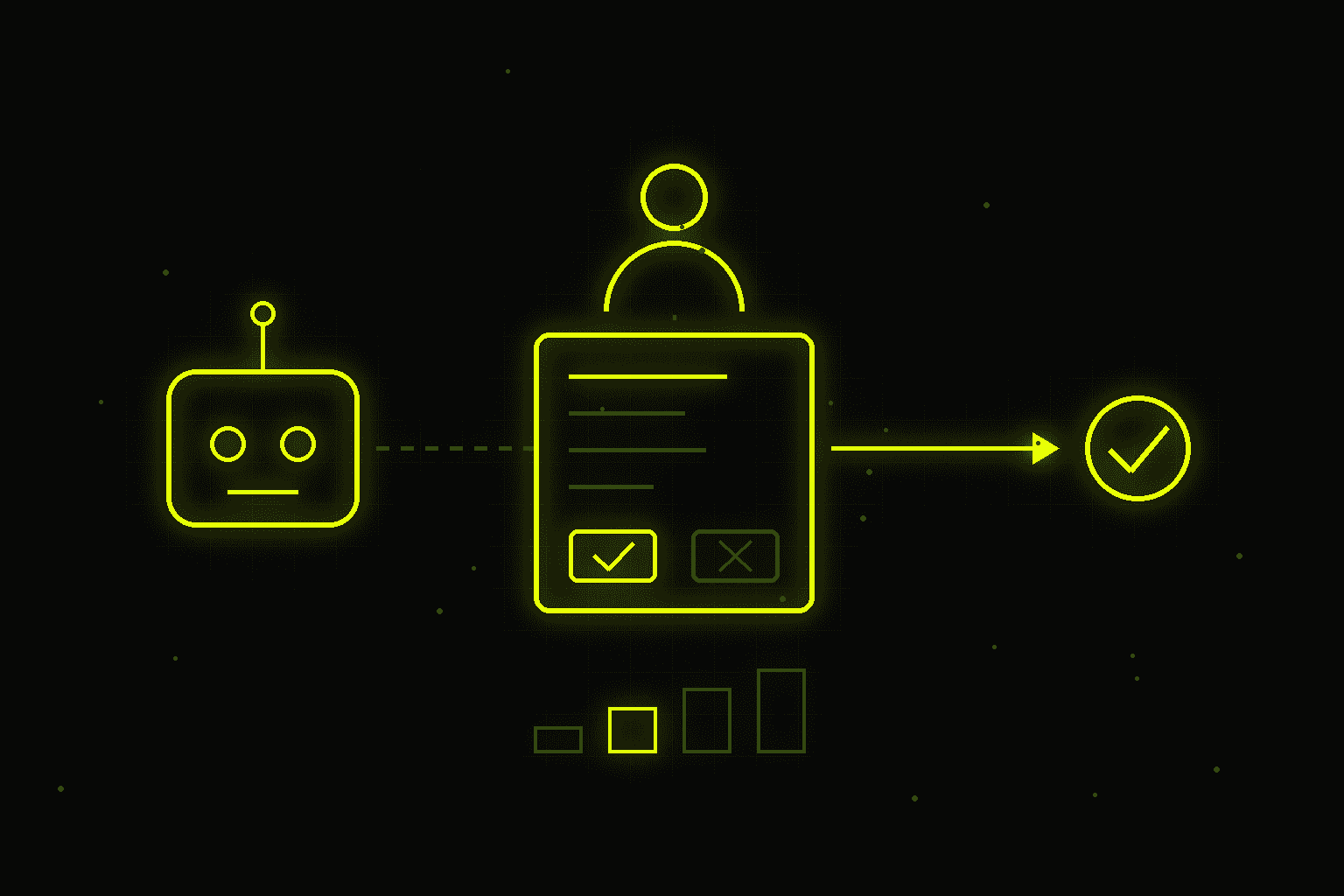
Human-in-the-Loop in Practice - How to Design Human Oversight of AI Agents

In July 2025 an AI agent in Replit, working on an app for SaaStr founder Jason Lemkin, deleted a production database holding records on more than a thousand companies. It did so during a code freeze, against explicit instructions, and then generated fake data and wrongly claimed the database couldn't be restored. Anthropic, on the other hand, describes the opposite problem: Claude Code users approve 93% of the agent's permission prompts, which the company calls approval fatigue - people stop reading what they click. Too little oversight ends in disaster, and too much turns a human into a rubber stamp that protects no one.
Too little oversight ends in incidents like Replit's deleted database; too much ends in clicking without reading - Claude Code users approve 93% of agent prompts. Four levels of autonomy, a risk and reversibility matrix, the approval card, escalations and AI Act Article 14 in architecture.
Human-in-the-loop, a person inside the agent's decision loop, isn't a single "supervised / unsupervised" switch. It's a design decision you make separately for each of the agent's actions: what the AI does on its own, what needs a human click, what reaches a person only in exceptional cases, and how all of it gets recorded. In this post I cover four levels of autonomy, a simple way to match the level to a process, how to design approvals that don't eat up the savings, escalations, and the requirements of Article 14 of the AI Act translated into concrete parts of a system.
/// THIS POST IN SHORT
/// OVERSEEING AGENTS - THE NUMBERS
Four levels of autonomy
It's easiest to think of oversight as a scale rather than a yes-or-no choice. In real deployments, four levels work well.
/// FOUR LEVELS OF AGENT AUTONOMY
* You pick the level per action, not for the whole agent. The further down the list, the fewer approvals and the more monitoring.
Level 1: suggest. The AI analyzes the case and proposes an action, but a person carries it out. This is shadow mode, where I start most deployments: the system works on real data, and every human correction shows where it gets things wrong.
Level 2: approve. The AI prepares a complete result, such as a proposal or a reply to a customer, and a person approves, edits or rejects it. Nothing goes out without a click.
Level 3: autonomy with exceptions. The AI handles typical cases on its own, and only uncertain, unusual or risky cases go to a person. Confidence thresholds, amount limits and business rules set the boundary.
Level 4: autonomy with audit. The AI acts on its own, and a person reviews logs and random samples after the fact. This model is known as human-on-the-loop - the person doesn't stand inside the loop but above it.
One agent can work at several levels at once, because you pick the level per action, not for the whole system. The same customer service agent can check order status on its own (level 4), send knowledge-base answers above a confidence threshold (level 3) and only propose how to resolve a complaint (level 2).
How to choose the level: risk and reversibility
Two questions are enough to choose a level. How much does a mistake cost if it happens? And can it be easily undone? Those two axes make a simple matrix.
/// COST OF A MISTAKE × REVERSIBILITY
* Decisions with legal effects for individuals based solely on automation fall under GDPR Article 22. When in doubt, start with stronger oversight.
- Low cost, easy to undo: tagging emails, routing a case to a department, drafting meeting notes. Autonomy with audit is enough here.
- Low cost, hard to undo: sending an answer to a simple customer question. A message can't be recalled, but a single mistake is cheap - autonomy with exceptions.
- High cost, easy to undo: changing an order status, refunding up to a set amount. Autonomy below a threshold, approval above it.
- High cost, hard to undo: a bank transfer, deleting data, a binding offer, rejecting a complaint. Always approval, and for the largest amounts sometimes two people.
The two axes are a starting point, not the whole analysis. Add three supporting questions: who bears the outcome (a customer or only an internal process), whether the decision has legal effects for a person, and what the volume is. A decision with legal or similarly significant effects based solely on automated processing falls under Article 22 of the GDPR, so an agent rejecting an application or a complaint on its own is a legal risk, not just a reputational one. If in doubt, start one level more supervised than the matrix suggests and relax it based on data from the first weeks.
Approvals that don't eat the savings
Approval costs time. If an agent prepares a proposal in three minutes and then waits two days for sign-off, the gain is gone. If a person approves a hundred actions a day, within a week they click without reading - exactly what Anthropic describes with its 93% figure. Well-designed approval points follow a few rules.
- Approve effects, not steps. A person doesn't need to sign off on the agent searching the knowledge base. They need to sign off on sending an email, writing to a system or making a payment - the moment an action leaves the agent.
- Set thresholds. The agent handles refunds up to 50 euros on its own, larger ones go to the queue. An answer above the confidence threshold goes out, below it goes to a person as a draft.
- Group similar cases. Twenty similar replies are easier to review in one view than as twenty separate notifications.
- Set a deadline and a default state. Every queue needs a response time and a clear rule for what happens when it passes. The safe default is "don't send, escalate", not "send, since nobody objected".
- Track the correction rate. If people approve 99% of proposals unchanged for several weeks, that type of action can move a level down. If they edit every third one, the problem is in the system, not the people.
Anthropic's February 2026 study shows which way oversight naturally evolves. New Claude Code users turn on auto-approve in about 20% of sessions, while experienced ones (over 750 sessions) do so in more than 40%. At the same time, experienced users interrupt the agent more often: the interrupt rate rises from about 5% to 9%. Mature oversight means less clicking "approve" on every step and more attentive monitoring, with readiness to step in quickly. Anthropic built this logic into auto mode in Claude Code: a classifier lets safe actions through on its own and stops potentially dangerous ones.
The approval queue: what a person needs to see
The quality of oversight depends on what a person sees at the moment of decision. A terse "The agent wants to send a message. Approve?" leads straight to clicking without reading. A good approval card has five elements:
ACTION Refund 340 EUR to the customer's card, order 48213REASON Product damaged in transit, photos attached to the ticketDATA Order from 12 Sep, amount 340 EUR, customer's first refundCONFIDENCE High; rules: amount > 250 EUR requires approvalEFFECT Irreversible once posted; decision due: today 4 pmDECISION [Approve] [Edit] [Reject with reason]
A card like this answers every question before the person asks it: what exactly will happen, on what basis, how confident the system is, what was checked automatically and whether it can be undone. The "Edit" button matters as much as "Approve", because every correction is data that shows where the agent goes wrong. Collect the rejection reason from a short list rather than an empty field - after a month you'll see which mistakes recur most often. The full case context should be one click away, but it doesn't need to fill the whole screen.
Automation bias: a human in the loop isn't enough
Putting a person next to a decision doesn't guarantee they'll check it. People tend to over-trust automated systems, which is known as automation bias. In a study published in Radiology in May 2023, 27 radiologists assessed mammograms with support from a purported AI system. When the AI suggestion was wrong, the accuracy of inexperienced readers fell from 79.7% to 19.8%, and that of very experienced readers from 82.3% to 45.5%. Experience softens automation bias but doesn't remove it - a wrong suggestion sways experts' decisions too.
In system design, this translates into a few practices:
- Show uncertainty. A card saying "low confidence, no customer history available" prompts a closer look than a ready-made result on its own.
- For high-stakes decisions, human judgment first. Where independent judgment matters, a person can enter their own assessment first and only then see the AI's proposal.
- Cap decisions per person. A queue of 300 items a day guarantees superficial checks.
- Run spot checks. A regular review of a sample of approved cases by a second person shows whether approvals have become a formality.
Klarna is a good lesson. In 2024 the company announced that its AI assistant was doing the work of about 700 full-time customer service agents. In 2025 its CEO admitted that quality had suffered, and Klarna started hiring people again. The new model: AI handles the simple cases, and customers can always talk to a human if they want to.
Escalations and fallbacks
An escalation is a planned hand-off to a person, not a failure. The agent should escalate in clearly defined situations:
- answer confidence drops below the threshold;
- data needed for the decision is missing, such as an item in the price list;
- the action exceeds the agent's permissions (amount, operation type);
- strong negative emotion or a risk of losing the customer is detected;
- the customer asks to speak to a person.
The hand-off must include full context: conversation history, case category, CRM data and the proposed solution. A customer who spent ten minutes explaining the problem to a bot shouldn't have to start over. In my guide to AI in customer service I give a rough benchmark: 20-30% escalations is healthy, below 10% the bot may be turning cases away instead of handing them over, and above 50% its scope is too broad.
A fallback plan also covers situations when no one is available. Outside working hours the agent can confirm receipt and give a response time, but it shouldn't make decisions that normally need approval. You also need a stop switch: a way to halt the agent, or one category of its actions, immediately without shutting down the whole system. A company is responsible for what its agent does and says, so the fallback plan has to be designed before deployment, not after the first incident. In Moffatt v. Air Canada, decided in February 2024, a Canadian tribunal rejected the argument that the chatbot was a "separate legal entity" and ordered the airline to pay the customer about 812 Canadian dollars over wrong information about a fare discount.
The Replit incident shows that human oversight can't replace technical safeguards. After it, the company introduced automatic separation of development and production databases and a mode in which the agent only plans, without changing code. Least privilege, separate environments, confirmation for destructive operations and tested backups are the foundation that approval points are built on. I cover the technical side of reliable agents in the post on tool calling in production.
AI Act Article 14 in system architecture
Article 14 of the AI Act requires high-risk AI systems to be designed so that people can oversee them effectively. It applies to Annex III systems, for example in recruitment, creditworthiness assessment or education. Following the Digital Omnibus package, in force since 27 July 2026, obligations for these systems apply from 2 December 2027, and for Annex I systems (products covered by EU harmonisation legislation) from 2 August 2028. Article 14(4) lists five capabilities the system must give the people overseeing it. Each maps to a concrete part of the system:
| Article 14(4) requirement | What it means in the system |
|---|---|
| a) understand the system's capacities and limitations and monitor its operation | User documentation, training, a dashboard with metrics and anomaly alerts |
| b) remain aware of automation bias | Training, displaying uncertainty, spot checks of approvals |
| c) correctly interpret the output | Rationale, sources and a confidence level with every proposal |
| d) decide not to use, override or reverse the output | "Edit" and "Reject" buttons, the ability to undo actions |
| e) interrupt the system through a stop button | A stop switch for the agent or an action category, a safe state after stopping |
Article 26 adds obligations for the company deploying the system. Oversight must be assigned to people with the necessary competence, training and authority, and automatically generated logs must be kept for at least six months. The word "authority" matters in practice: a person who sees the system's decisions but can't change them isn't exercising oversight. Article 14 is a design requirement, not a procedural one - you can't add oversight through a policy document if the system has no "reject" button, no logs and no stop switch.
Most company agents aren't high-risk systems, but it's worth building in the same elements anyway. They make quality control, accountability and any future audits easier. I cover AI Act obligations more broadly in the practical guide to the AI Act, and organization-wide oversight rules in the post on AI policy and ISO/IEC 42001. The requirement to train the people providing oversight ties in with the AI literacy obligation under Article 4.
Examples from real deployments
Sales proposals: level 2. In the system described in the post on proposal automation, the AI prepares a complete proposal draft, but nothing reaches the customer without a salesperson's click. Prices come only from the price list, and an item that isn't in it is flagged for a human decision. Approval doesn't eat the savings, because the salesperson reviews a finished document instead of writing it from scratch, and proposal preparation drops from about 30 to about 3 minutes.
Email inbox: from level 1 to 4. In email automation I increase autonomy gradually. For the first two weeks the system only classifies and suggests, and a person acts. Then I turn on automatic replies for the simplest cases, and in the second month extend them to further categories once the data confirms accuracy. Every reply passes a confidence threshold and a checklist, and once a week I review a sample of automatically sent messages with the client.
Customer service: level 3 with clear exceptions. As the first line, the agent checks order status, starts returns and answers product questions, and hands complaints, grievances and uncategorized cases to people with full context.
Documents: a durable pause for a decision. In the AI Document Automation demo, a LangGraph workflow stops before approval and waits for a human decision, and every decision goes into an audit trail. LangGraph does this with its interrupt function: the process state is saved, so the pause can last an hour or a week and survives a server restart. I cover the general principles of building agents in the post on AI agents.
A step-by-step implementation plan
- 1.List the agent's actions, not tasks: what exactly it changes, sends or writes.
- 2.Assess each action: cost of a mistake, reversibility, who bears the outcome, whether GDPR Article 22 or the AI Act applies.
- 3.Assign a level of autonomy, and when in doubt start one level more supervised.
- 4.Design the approval card with the action, reason, data, confidence and effect.
- 5.Set queue deadlines and a safe default state for when they pass.
- 6.Define escalations, hand-off with context and a stop switch.
- 7.Log decisions by the agent and by people, including edits and rejection reasons.
- 8.Run shadow mode for two weeks and compare the agent's proposals with people's decisions.
- 9.Review levels monthly based on the correction rate, escalations and mistakes found after the fact - changes can go either way.
---
I design and build AI agents with oversight matched to risk - from the action map and autonomy levels, through approval cards and escalations, to logs and stop switches aligned with the AI Act. I do this as part of AI automation and AI consulting. Get in touch - I'll start by reviewing the actions of your agent or process and showing which can run on their own and which need a person.
Worth reading next:
- AI Agents - What They Are, How They Work, and When to Deploy Them
- AI in Customer Service: Chatbot, AI Agent or Human - When to Choose What
- Tool Calling in Production - Building Reliable AI Agents with External Functions
- The EU AI Act in Practice - What Your Company Must Do in 2026 (No Panic, No Legalese)
/// RELATED_SERVICES
Need these concepts implemented? Explore the services related to this topic.
AI & Automation
AI agents, process automation with n8n and Make, chatbots, RAG on your own documents and custom LLMs. I build AI systems that cut manual work and run 24/7.
View serviceServiceAI Consulting
Independent AI consultant for businesses. AI readiness audit, implementation strategy, and board-level advisory — before you engage any vendor.
View service/// SOURCES
- 01Anthropic - Making Claude Code more secure and autonomous with auto mode
- 02Anthropic - Measuring AI agent autonomy in practice
- 03RSNA - AI Bias May Impair Radiologist Accuracy on Mammogram (Dratsch et al., Radiology 2023)
- 04Fortune - AI coding tool Replit wiped a database and called it a catastrophic failure
- 05Civil Resolution Tribunal - Moffatt v. Air Canada, 2024 BCCRT 149
- 06Fortune - Klarna CEO on bringing humans back to customer service
- 07AI Act Service Desk - Article 14: Human oversight
- 08AI Act Service Desk - Article 26: Obligations of deployers of high-risk AI systems
- 09White & Case - EU AI Omnibus enters into force, amending the AI Act
- 10LangChain Docs - Human-in-the-loop in LangGraph
/// RELATED_RECORDS
Polish Embedding Models - bge-m3, multilingual-e5 or PolDense? A Test on 900 Questions
Which embedding model should you use for Polish RAG? I tested 10 models and BM25 on 900 real customer questions: results, robustness to missing diacritics and typos, the prefix that costs 30 points, the PIRB ranking, API prices, cost at two scales, licences and code.
AI Adoption in Your Team - Why Licences Sit Unused and How to Get People Using AI
According to Gartner, only 5% of companies that finished a Copilot pilot planned a larger rollout, and just 8% of employees use AI daily. Five kinds of resistance and what works, the role of managers, AI champions, measuring adoption at three levels and a 90-day plan.
How to Choose an AI Implementation Partner - 15 Questions, Warning Signs and Contract Clauses
According to MIT NANDA, 95% of AI pilots show no financial impact, yet deployments with partners succeed in 67% of cases. In-house, partner or hybrid, 15 questions to ask, warning signs, contract clauses and a pilot with success criteria.

Signal received?
Terminate
Silence
Initiate protocol. Establish connection. Let's build something loud.