Multi-Agent AI - When One Agent Isn't Enough and How to Build Agent Systems

A multi-agent system is an architecture where a complex task is split across several specialised agents instead of one. One agent collects data, another analyses, a third writes the report, a fourth sends it to the right recipients - each has a narrow responsibility and does not need to hold the entire state in working memory. This is the solution for tasks where a single agent "thinks too long" and loops without producing output.
The agent was given a task, processed data for 40 minutes and finished nothing. Diagnosis: this is a job for 4 agents, not one. I show you how to recognise when you need a multi-agent system, how to design it, and what mistakes to avoid when deploying.
Friday, 2:32 PM. Bart, a sales rep at a distribution company, launches an AI agent with the instruction: "prepare the Q1 sales report, extract anomalies, write recommendations and send it to management by Friday." The agent confirms the task and gets to work.
At 3:17 PM Bart checks the status. The agent is processing data. At 4:00 PM - still processing. At 4:45 PM, just before the end of the workday, Bart checks one more time. The agent is still "analysing Q1." It hasn't sent anything. It hasn't decided on a report format. It hasn't generated recommendations. It got stuck in a loop processing the first layer of data and couldn't move forward.
This isn't a model error. It's an architecture error. Bart gave a single agent a task that requires four.
Three Symptoms That You Need More Than One Agent
Before I explain what a multi-agent system is, let me show you how to recognise that you need one. In my work I see three clear signals that diagnose the problem.
Symptom 1: The agent "thinks too long" and loops
A single agent with an unbounded context window and a task composed of four logically separate phases will try to hold the entire state in working memory simultaneously. It's like asking one person to simultaneously gather data, analyse it, write text and format a PDF. Result: it never completes any of the steps, because each step requires a different processing mode.
In practice this manifests as: the agent thinks for a long time, generates no intermediate outputs, and after exceeding the time or token limit simply stops without a result.
Symptom 2: The task requires parallel processing
You have a report composed of five industry sections. The data for each section comes from a separate source. Processed sequentially - 5 × 8 minutes = 40 minutes. Processed in parallel by 5 agents - 8 minutes. A single agent cannot perform true parallelism. You need a system that distributes work and merges results.
Symptom 3: Different stages require different specialisation
Collecting data from an API is a completely different specialisation from statistical analysis, writing business narrative and formatting a document. Trying to pack all four roles into a single system prompt ends in compromise - the agent isn't excellent at any of these roles because none gets full context and instructions.
Specialisation isn't just about prompts. It's about different tools, different API permissions, different constraints and different success criteria for each phase.
What Is a Multi-Agent System - In One Sentence
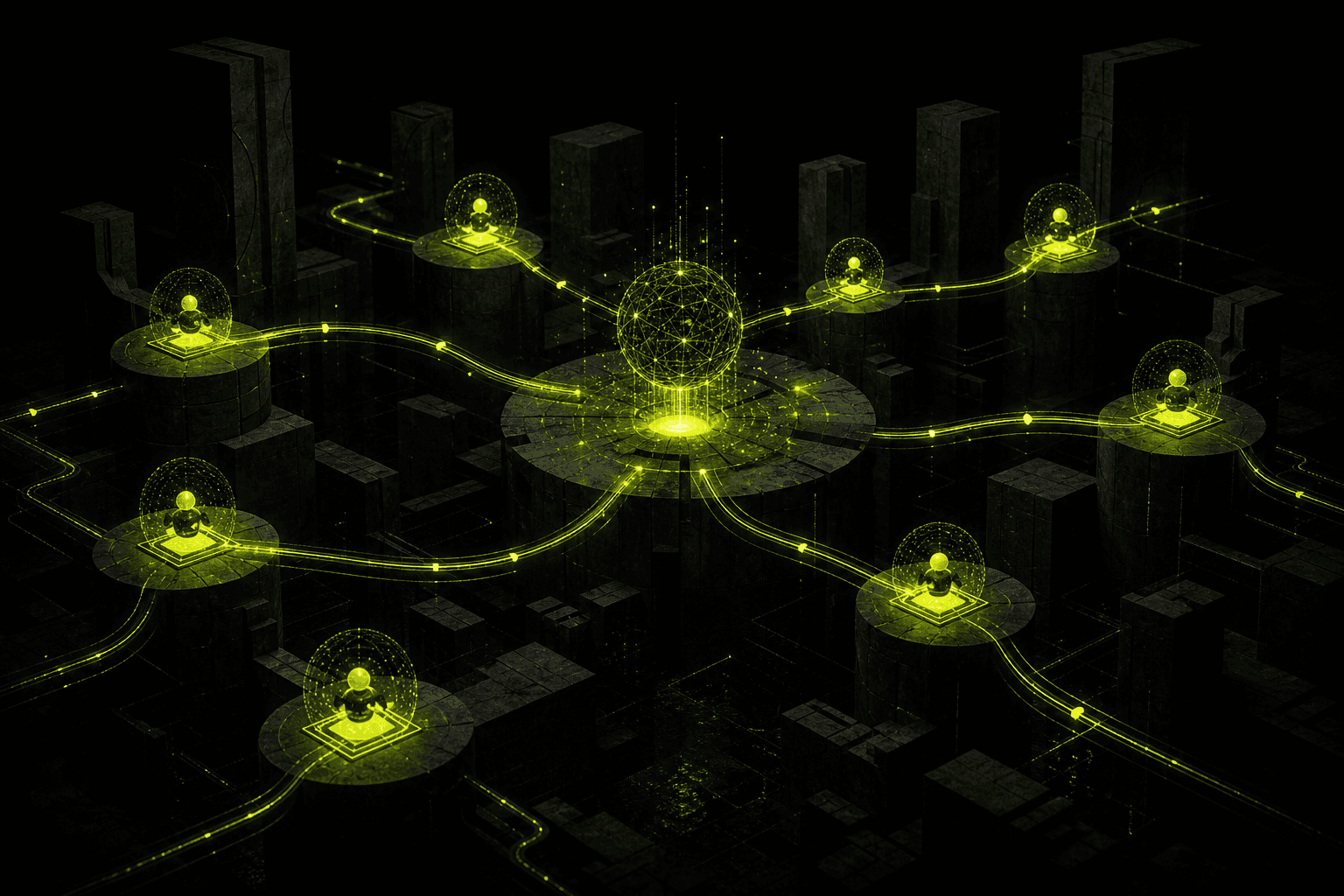
A multi-agent system is an architecture in which multiple specialised AI agents collaborate under the control of a coordinator (supervisor), each responsible for a specific slice of the task, passing results to each other in a defined flow.
Key words: *specialised*, *coordinator*, *specific slice*, *flow*. This isn't "more ChatGPTs in one window." This is process engineering.
/// THREE TOPOLOGIES OF MULTI-AGENT SYSTEMS
Each agent receives the previous one's output
Supervisor distributes, agents run simultaneously
Supervisor delegates to domain managers
Three Topologies of Multi-Agent Systems
Before you write code, you need to choose a topology. Each has its use cases and its drawbacks.
Sequential (A→B→C→D) - pipeline
Each agent receives the previous agent's output as input. Agent A finishes → result goes to B → B finishes → result goes to C. Classic document pipeline.
When to use: When each stage logically depends on the previous one and they cannot be parallelised. Example: data scraping → cleaning → analysis → report. You can't write the report without data. You can't analyse dirty data.
Drawbacks: Execution time is the sum of all agents' times. An error midway through the pipeline stops everything. Requires solid error handling at every transition.
Parallel (Supervisor → [A, B, C] → merge) - fan-out/fan-in
The supervisor splits the task into N parallel sub-tasks, launches N agents simultaneously, waits for all results, and merges them into one output.
When to use: When you have N independent sub-tasks of the same type. Analysing 5 markets simultaneously. Translating a document into 4 languages in parallel. Collecting data from 6 API sources at once.
Drawbacks: The supervisor must be able to merge results of varying structure and quality. One slow agent blocks the entire merge (the "slowest link" problem). Requires idempotency - if an agent crashes, it must be restartable.
Hierarchical (Supervisor → [Manager1, Manager2] → Workers) - tree
The supervisor delegates to domain managers, each manager oversees their own team of workers. A corporate structure translated into agents.
When to use: Complex projects with distinct domains. A marketing campaign: Supervisor → [Content Manager, Distribution Manager] → [Copywriter, Designer, Social, Email, Paid]. Each domain has its own logic and tools.
Drawbacks: The highest communication overhead. The hardest to debug. Use only when you genuinely need it - when a sequential or parallel tree isn't sufficient.
Supervisor Agent Pattern - The Heart of Every System
Regardless of topology, every multi-agent system has a supervisor. This is the most important agent in the entire system and the most underestimated at the design stage.
How the supervisor decides on delegation
The supervisor receives as input: the task description, current state (what has already been completed), and the list of available agents with their specialisations and availability. As output it must return: which agent to call, with what input, in what order or in parallel.
A good supervisor doesn't decide based on keywords - it decides based on state. "Data collected? → go to analyst. Analysis done? → go to copywriter. Everything done? → go to sender." This is a state machine, not a chatbot.
How it handles agent errors
Every worker agent can fail: exceed the token limit, receive an API error, return output not matching the schema. The supervisor must implement a retry strategy: how many times to retry, with what cooldown, and what happens when max_retries is exhausted - escalate to a human or skip this step?
No error handling strategy = a system that hangs in production without a clear message. I've seen this too many times.
How it merges results
Merging results is a separate problem, often harder than the computations themselves. Five agents returned five report sections of different lengths, styles and data formats. The supervisor must: validate completeness (did every agent return the required fields?), normalise the format, resolve conflicts (two agents reported different numbers for the same metric), and assemble the final document.
This stage is often skipped in prototypes and "surfaces" in production.
Python/LangGraph Example - Supervisor with 3 Worker Agents
from langgraph.graph import StateGraph, ENDfrom langgraph.prebuilt import ToolNodefrom langchain_openai import ChatOpenAIfrom langchain_core.messages import HumanMessage, SystemMessagefrom typing import TypedDict, Annotated, Sequenceimport operatorimport json# --- System State ---class AgentState(TypedDict): task: str research_output: str analysis_output: str final_report: str current_step: str error_count: int messages: Annotated[Sequence[dict], operator.add]llm = ChatOpenAI(model="gpt-4o-mini", temperature=0)# --- Agent 1: Research ---def research_agent(state: AgentState) -> AgentState: prompt = f"""You are a data collection agent.Task: {state['task']}Collect all necessary facts, numbers and context.Return JSON: {{"findings": [...], "data_points": [...], "sources": [...]}}""" response = llm.invoke([SystemMessage(content=prompt)]) return { **state, "research_output": response.content, "current_step": "research_done", "messages": [{"role": "research", "content": response.content}] }# --- Agent 2: Analyst ---def analysis_agent(state: AgentState) -> AgentState: prompt = f"""You are an analytical agent.Research data: {state['research_output']}Extract anomalies, trends and conclusions.Return JSON: {{"anomalies": [...], "trends": [...], "recommendations": [...]}}""" response = llm.invoke([SystemMessage(content=prompt)]) return { **state, "analysis_output": response.content, "current_step": "analysis_done", "messages": [{"role": "analyst", "content": response.content}] }# --- Agent 3: Writer ---def writer_agent(state: AgentState) -> AgentState: prompt = f"""You are a business report writing agent.Research: {state['research_output']}Analysis: {state['analysis_output']}Write a professional report with sections: Executive Summary, Results, Anomalies, Recommendations.""" response = llm.invoke([SystemMessage(content=prompt)]) return { **state, "final_report": response.content, "current_step": "report_done", "messages": [{"role": "writer", "content": response.content}] }# --- Supervisor: decides the flow ---def supervisor_router(state: AgentState) -> str: step = state.get("current_step", "start") errors = state.get("error_count", 0) if errors >= 3: return "human_escalation" if step == "start": return "research" if step == "research_done": return "analysis" if step == "analysis_done": return "writer" if step == "report_done": return END return "research"# --- Building the graph ---workflow = StateGraph(AgentState)workflow.add_node("research", research_agent)workflow.add_node("analysis", analysis_agent)workflow.add_node("writer", writer_agent)workflow.set_conditional_entry_point(supervisor_router)workflow.add_conditional_edges("research", supervisor_router)workflow.add_conditional_edges("analysis", supervisor_router)workflow.add_conditional_edges("writer", supervisor_router)app = workflow.compile()# --- Execution ---result = app.invoke({ "task": "Prepare Q1 2026 sales report for the management board", "research_output": "", "analysis_output": "", "final_report": "", "current_step": "start", "error_count": 0, "messages": []})print(result["final_report"])
A few key design decisions in this code:
AgentState as single source of truth - the entire system state flows through one TypedDict object. Each agent reads what it needs, saves its output, passes it on. No global variables, no side effects.
supervisor_router as a state machine - the supervisor doesn't generate decisions via LLM every time (that would be expensive and non-deterministic). It decides based on current_step - deterministically, quickly, cheaply.
error_count with escalation - after 3 errors the system doesn't loop indefinitely but escalates to a human. Always.
Four Real Deployment Cases From My Projects
Case 1: Sales Proposal Generation Pipeline
Client: B2B company, 15 sales reps, 30-50 quote requests per week.
Architecture (4 agents, sequential): - CRM Reader Agent - fetches client data from Salesforce: purchase history, segment, preferences - Pricing Agent - based on requested products, margin, history and segment, calculates the offer price and applicable discounts - Copywriter Agent - writes a personalised offer text factoring in relationship history and current needs - PDF Generator Agent - formats to Word/PDF template, adds logo, sales rep signature, expiry date
Time before deployment: 45-90 minutes per proposal. Time after deployment: 4-7 minutes (agent) + 10 minutes (sales rep review). Savings: ~25 hours per week on proposal writing alone.
Case 2: Automated Monitoring and Reporting
Client: chain of 12 retail stores, daily management reports.
Architecture (3 agents, sequential with cron trigger at 6:00 AM): - Data Collector Agent - queries the POS system API, Google Analytics, and inventory system. Gathers previous day's data for all 12 locations - Analyst Agent - compares against baseline (previous week, previous year), detects anomalies: store with >15% lower sales, product with a sudden spike in returns, location with stock shortages - Reporter Agent - generates an executive summary report: 1 A4 page, bullet points, anomalies bolded, action recommendations ready by 10:00 AM
Management receives the report at 7:30 AM. Zero manual work. Deployment time: 3 weeks. ROI: payback in 6 weeks.
Case 3: Complaint Handling Automation
Client: e-commerce, 60-120 complaints daily across various channels.
Architecture (4 agents, sequential with human-in-the-loop at stage 3): - Classifier Agent - categorises the complaint: issue type (delivery, quality, payment, return), urgency, sentiment, order value - Empathy Responder Agent - generates the first response: acknowledgement, empathetic tone, resolution time estimate. Sent automatically within 90 seconds - Resolution Finder Agent - proposes a resolution: refund, exchange, discount, escalation. For decisions above £200 - routes to a human (human checkpoint) - Response Drafter Agent - writes the final reply with the specific proposal, form links, and completion date
Average response time before: 18 hours. After: 90 seconds (empathetic acknowledgement) + 4 hours (resolution). CSAT +23 points within a quarter.
Case 4: Content Pipeline for an Agency
Client: content agency, 40+ articles per month for 8 clients.
Architecture (4 agents, sequential with parallel stage 3): - Researcher Agent - topic research: 10 sources, current data, quotes, statistics. Time: 3 minutes - Writer Agent - writes the article based on research and client brief (tone, keywords, length, CTA). Time: 4 minutes - SEO Optimizer Agent - checks keyword density, meta title, meta description, headings, alt texts, internal links. Returns a list of corrections or a stamp of approval. Time: 2 minutes - Publisher Agent - uploads to WordPress/Webflow, sets category, tags, featured image, scheduled publish date
Time per article before: 3-5 hours. After: 15 minutes (agents) + 20 minutes (human editing). Throughput: from 40 to 90 articles per month with the same team.
Five Mistakes When Building Multi-Agent Systems
Mistake 1: Too Many Agents (The Microservice Trap)
Just as in microservices architecture you can create 50 services where 5 would suffice, with agents you can fall into the granularity trap. An agent "only for date normalisation" or an agent "only for spell-checking" - this is absurd.
Rule: each agent should be responsible for a logically complete phase of the task, not for a single operation. If an agent executes one function in one line of code - replace it with a function call, not an LLM call.
Mistake 2: No Error Handling Between Agents
Agent B received malformed JSON from agent A and threw an exception. The supervisor has no procedure for handling this exception. The system hangs. Logs are empty because the exception wasn't logged. You don't know what happened.
Every transition between agents must have: schema validation of the previous agent's output, try/except with logging, a retry strategy, and escalation when retries are exhausted.
Mistake 3: No Human-in-the-Loop for Irreversible Actions
An agent sent an email to 2,000 customers with an incorrect price. An agent deleted 500 database records. An agent transferred money to a test account instead of production.
Irreversible actions - sending an email, modifying a database, a financial transaction, public posting - always require a human checkpoint. Not "might" require. Always. Without exception.
Mistake 4: Infinite Loops (Without max_iterations)
The supervisor called agent A → agent A returned an error → supervisor retried → error → retried → error. After 200 calls and £12 in tokens, the system is still "working." So is your OpenAI wallet.
Every agent and the entire system must have a hard limit: max_iterations, max_tokens, max_cost. When exceeded: stop, log, escalate. Hard. Non-bypassable by the agent.
Mistake 5: No State Logging Between Agents
A multi-agent system without full state logging is a black box. When something breaks (and it will), you have no idea: which agent failed, what it had as input, what it returned, how long it took.
Log everything: entry and exit timestamps for each agent, full input and output (or its hash for large payloads), status (success/retry/error), token cost per agent, total pipeline cost. This log is your production debugger.
When NOT to Use Multi-Agent
The honest answer: most AI use cases don't require multi-agent. If your use case can be described as "send a prompt, get an answer" - stick with a single agent. Multi-agent is a tool for specific problems, not a default architecture.
Don't use multi-agent when: - The task is linear and simple (question → answer) - You have fewer than 200 runs per month (the overhead won't pay for itself) - Your team has no experience debugging distributed systems - You have no production monitoring and alerting - The data is too sensitive to pass between multiple LLM calls - Execution time doesn't matter (a sequential pipeline is slower)
Start with a single agent with good tools. Only when you hit one of the three symptoms from the beginning of this post - design a multi-agent system.
Frequently Asked Questions
---
I build multi-agent systems on n8n and LangGraph - from simple pipelines to complex systems with a supervisor, logging and human-in-the-loop. Get in touch - if you have a task that exceeds the capabilities of a single agent, we'll design the architecture together.
/// RELATED_SERVICES
Need these concepts implemented? Explore the services related to this topic.
AI App Development
Custom AI software and AI-powered web applications. MVP development, full stack engineering, and AI systems programming from scratch to production.
View serviceServiceAI & Automation
AI agents, process automation with n8n and Make, chatbots, RAG on your own documents and custom LLMs. I build AI systems that cut manual work and run 24/7.
View service/// RELATED_RECORDS
Polish Embedding Models - bge-m3, multilingual-e5 or PolDense? A Test on 900 Questions
Which embedding model should you use for Polish RAG? I tested 10 models and BM25 on 900 real customer questions: results, robustness to missing diacritics and typos, the prefix that costs 30 points, the PIRB ranking, API prices, cost at two scales, licences and code.
AI Adoption in Your Team - Why Licences Sit Unused and How to Get People Using AI
According to Gartner, only 5% of companies that finished a Copilot pilot planned a larger rollout, and just 8% of employees use AI daily. Five kinds of resistance and what works, the role of managers, AI champions, measuring adoption at three levels and a 90-day plan.
How to Choose an AI Implementation Partner - 15 Questions, Warning Signs and Contract Clauses
According to MIT NANDA, 95% of AI pilots show no financial impact, yet deployments with partners succeed in 67% of cases. In-house, partner or hybrid, 15 questions to ask, warning signs, contract clauses and a pilot with success criteria.

Signal received?
Terminate
Silence
Initiate protocol. Establish connection. Let's build something loud.