
Ecommerce Structured Data - Product, Offer, Variants (ProductGroup) and BreadcrumbList in Practice

Structured data in an online store tells Google what you sell, at what price, whether it is available and how shipping works. The rule: every product page that can be bought needs Product with an Offer (a price above zero and a currency) in the initial HTML. Always add a GTIN when the product has an EAN code, and describe return and shipping policies once for the whole store (Organization or Merchant Center), not on every product page. Use ProductGroup only when a product has at least two variants with their own SKU, price or availability. The most common mistake I found in Polish stores was not missing markup but a price in the data that differs from the one the shopper sees.
What structured data an online store needs: merchant listing vs product snippet, required Product and Offer properties, returns and shipping in Organization, variants with ProductGroup, breadcrumbs, ratings, JSON-LD vs JavaScript, an audit of 36 pages in 19 Polish stores, a script and the sale-price pitfall.
/// THIS POST IN SHORT
This post covers how merchant listings differ from product snippets, which Product and Offer properties are required and which are worth adding, where to describe returns and shipping, how to mark up variants with ProductGroup, breadcrumbs and ratings, whether data can be injected with JavaScript, the results of my audit of 36 product pages in 19 Polish online stores, a script for checking the data and the sale-price pitfall.
What structured data does for a store
Product data lets Google show a product in results with its price, availability, rating and shipping information, as well as in the Google Shopping knowledge panel, Google Images and popular products results. This is how Google illustrates it in its documentation:
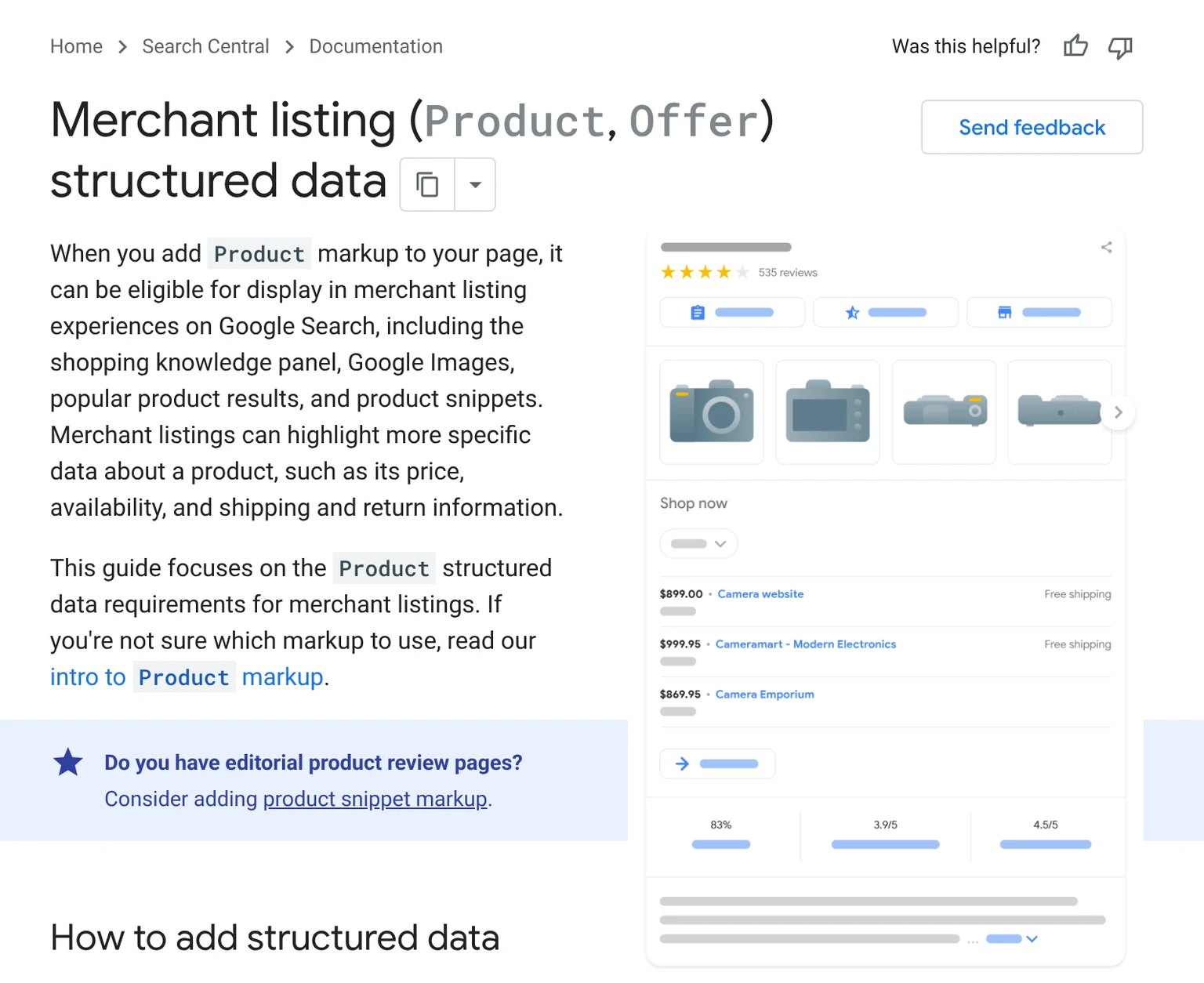
Structured data is not a ranking factor that lifts a page's position. It produces a result that tells the shopper more, and in product results and AI shopping it decides whether your offer can appear at all. I cover Schema.org markup in general in the structured data guide.
Do you need structured data if you have Merchant Center - the first decision
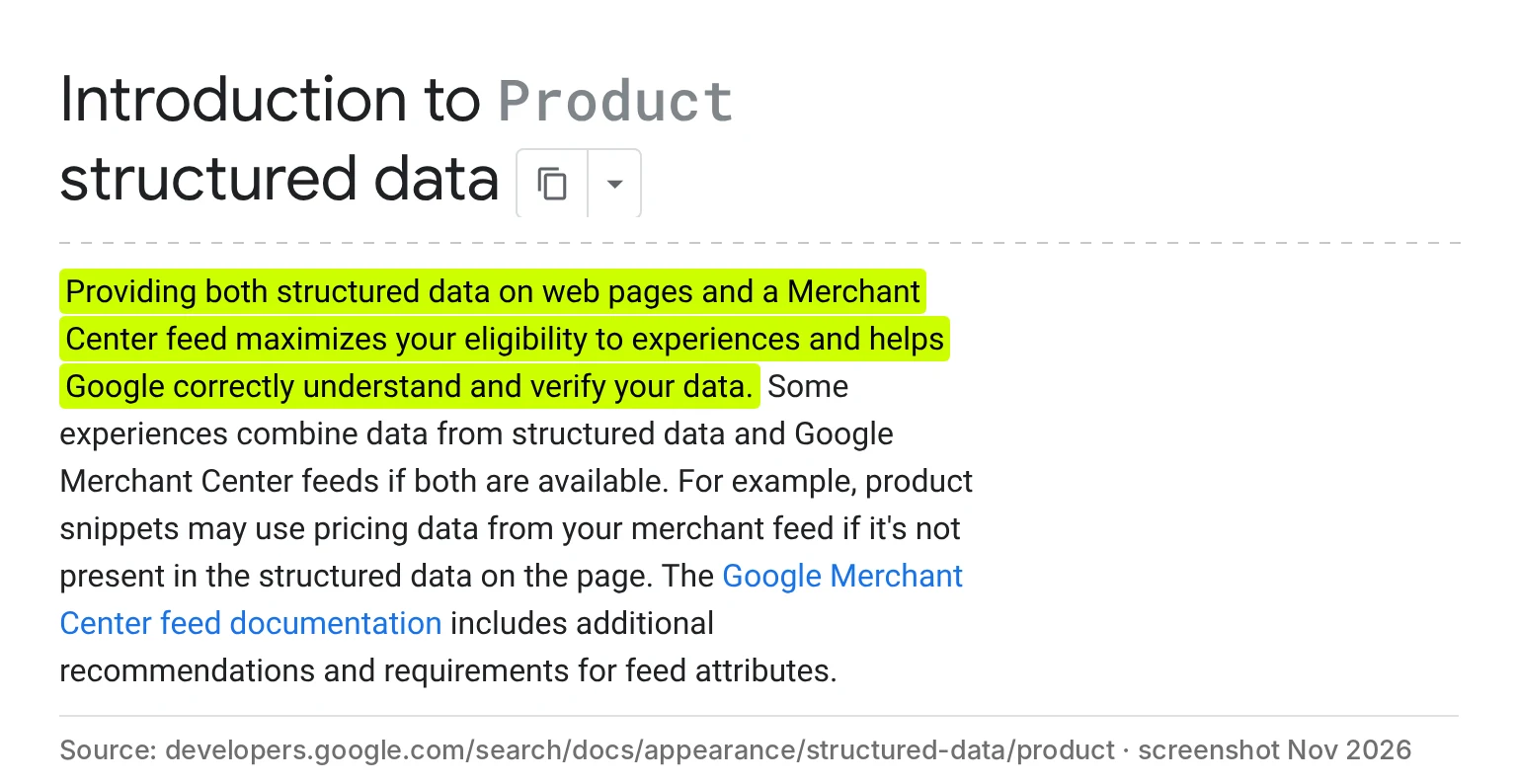
The most common question. Google's answer: ideally both. A Merchant Center feed and on-page data complement each other rather than replace each other.
| Option | What it gives you | What it will not do | When it is enough alone |
|---|---|---|---|
| Merchant Center feed | The Shopping tab, free product listings, ads; Google can take the price from it when the page has none | It does not describe the page for other search engines and AI assistants that read the page code | Never fully - Google recommends both |
| Product structured data on the page | Rich results in Search, feed verification against the page, data for other crawlers | It will not get products into the Shopping tab - that needs Merchant Center | A store that does not use the Shopping tab or product ads |
| Both | The best eligibility for every result format | - | Recommended for every store |
Google says plainly that providing both on-page structured data and a Merchant Center feed maximizes eligibility. I cover Merchant Center setup in the post on ecommerce SEO and GEO.
Product snippet or merchant listing
Google distinguishes two kinds of product results, and that decides which properties are required.
| Format | For which pages | Required | Notes |
|---|---|---|---|
| Merchant listing | Pages where the product can be bought | name, image, offers with price (above zero) and priceCurrency | This is the format for a store |
| Product snippet | Pages where the product cannot be bought: reviews, comparisons, rankings | name and one of: review, aggregateRating, offers | The format for blogs and review sites |
A store product page that meets the merchant listing requirements is also eligible for product snippets, so a store does not need to add anything separately.
Product, Offer and Organization - which properties are required
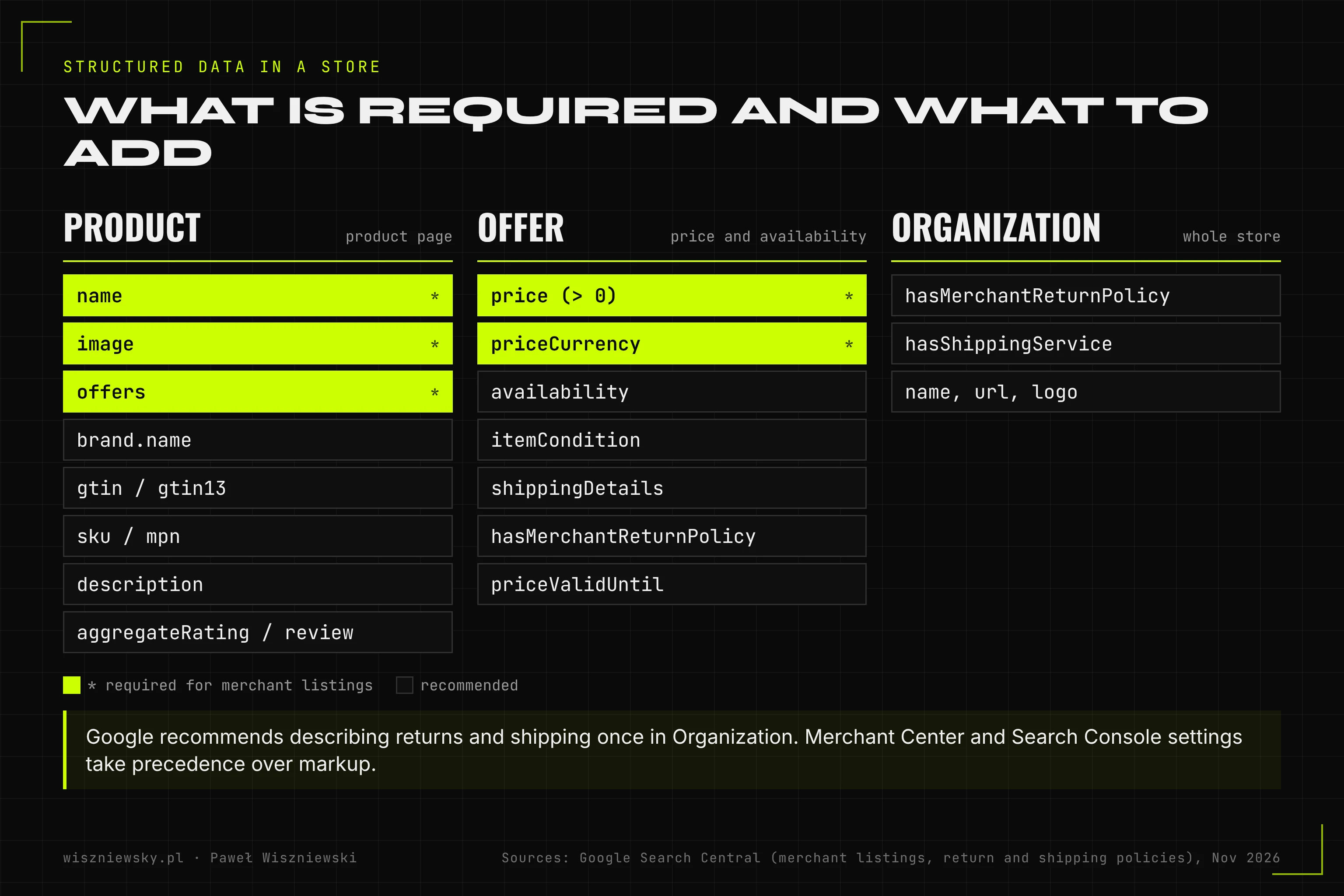
| Property | Where | Required | Practical note |
|---|---|---|---|
| name | Product | Yes | The same name as the H1, without additions like "sale" |
| image | Product | Yes | A product photo, not a logo or banner |
| offers.price | Offer | Yes (above 0) | A number with a dot: 149.99, without a currency sign or spaces |
| offers.priceCurrency | Offer | Yes | PLN, EUR etc. in ISO 4217 format |
| offers.availability | Offer | Recommended | InStock, OutOfStock, PreOrder, BackOrder, Discontinued and others; one value |
| itemCondition | Offer | Recommended | NewCondition for new products |
| gtin / gtin13 | Product | Recommended | The EAN code from the packaging; the most specific one you have |
| brand.name | Product | Recommended | The manufacturer's brand, not the store name |
| sku, mpn | Product | Recommended | The store's own code and the manufacturer's code |
| aggregateRating, review | Product | Recommended | Only genuine reviews visible on the page |
| shippingDetails, hasMerchantReturnPolicy | Offer or Organization | Recommended | Ideally once in Organization, see below |
Returns and shipping: on the product page or once for the store
Google recommends describing the standard return and shipping policies once, in Organization markup (MerchantReturnPolicy and ShippingService), and only exceptions for specific products at Offer level. When the same information is in several places, Google uses it in this order, from strongest:
- 1.Content API for Shopping,
- 2.Merchant Center or Search Console settings,
- 3.product-level markup (Offer),
- 4.Organization-level markup.
The practical takeaway: if your return and shipping policies are set in Merchant Center or Search Console, they win and you do not need to repeat them on every product page. If not, add them once in Organization on the home page - a few lines instead of thousands of repetitions.
Product variants: ProductGroup
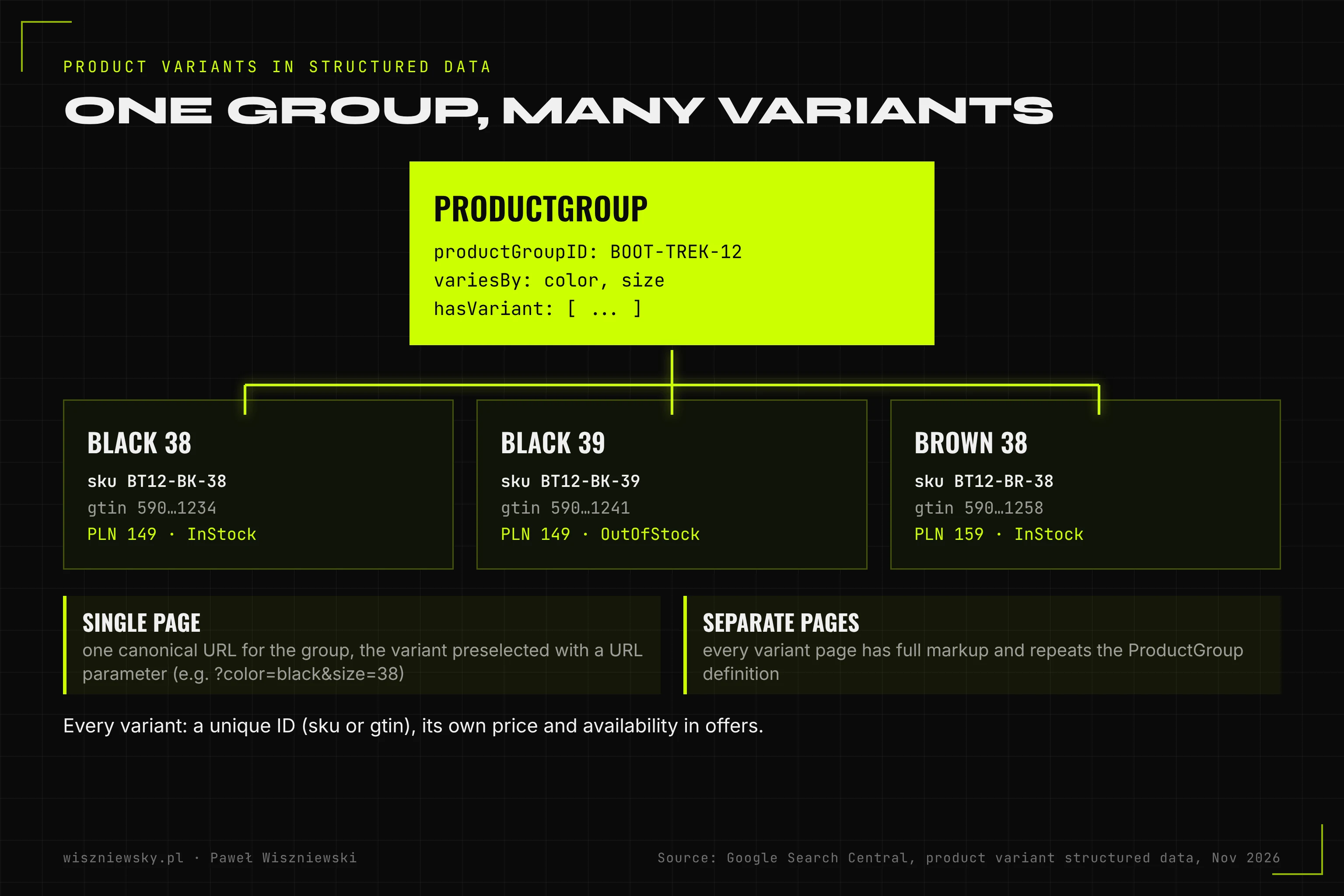
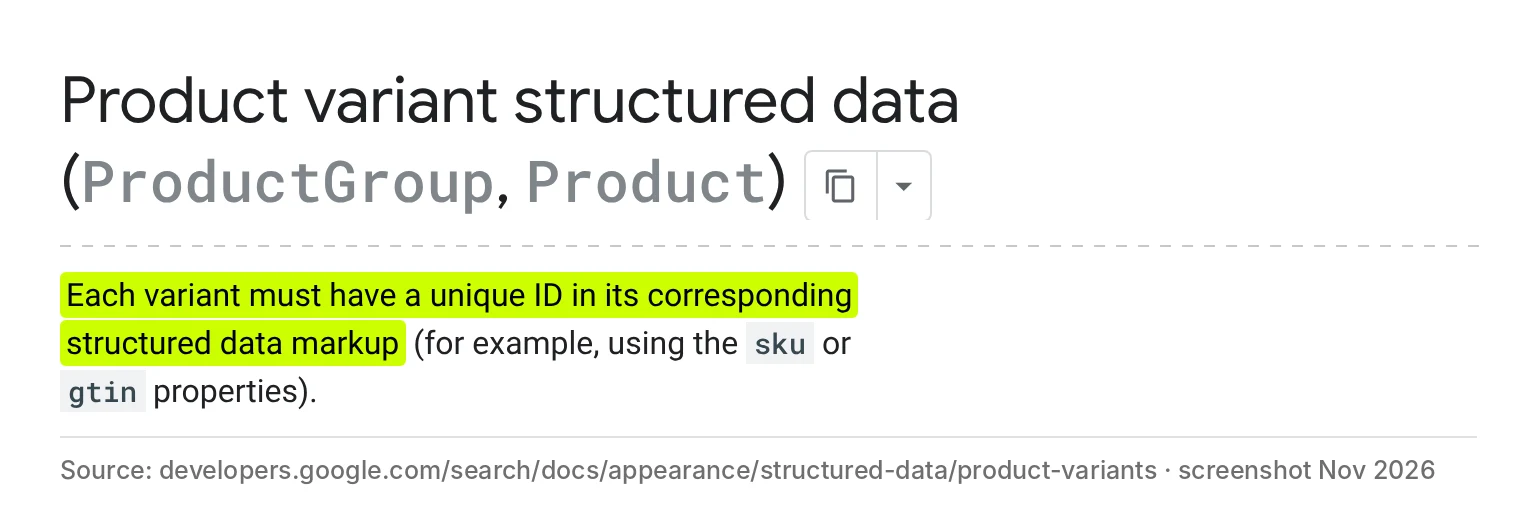
Sizes and colours of one model are described with ProductGroup: the group has a productGroupID (the parent product code) and variesBy (how the variants differ), and hasVariant holds the individual products, each with its own SKU or GTIN, price and availability.
| Setup | When | Google's requirements |
|---|---|---|
| One page for all variants | Size and colour chosen on one product page | One canonical URL for the group; each variant can be preselected with a URL parameter, e.g. ?color=black&size=38 |
| A separate page per variant | Colours with demand and their own URL | Every page has full markup and repeats the ProductGroup definition |
| No ProductGroup | A product without variants, or variants that do not differ in price or availability | A plain Product with Offer |
An example for one page with variants (shortened to two variants):
{ "@context": "https://schema.org", "@type": "ProductGroup", "name": "Trek 12 hiking boots", "url": "https://yourstore.com/trek-12-hiking-boots", "brand": { "@type": "Brand", "name": "Trek" }, "productGroupID": "BT12", "variesBy": ["https://schema.org/color", "https://schema.org/size"], "hasVariant": [ { "@type": "Product", "name": "Trek 12 hiking boots black 38", "sku": "BT12-BK-38", "gtin13": "5901234123457", "color": "black", "size": "38", "image": "https://yourstore.com/img/bt12-black.jpg", "offers": { "@type": "Offer", "url": "https://yourstore.com/trek-12-hiking-boots?color=black&size=38", "price": 149.00, "priceCurrency": "PLN", "availability": "https://schema.org/InStock", "itemCondition": "https://schema.org/NewCondition" } }, { "@type": "Product", "name": "Trek 12 hiking boots black 39", "sku": "BT12-BK-39", "color": "black", "size": "39", "image": "https://yourstore.com/img/bt12-black.jpg", "offers": { "@type": "Offer", "url": "https://yourstore.com/trek-12-hiking-boots?color=black&size=39", "price": 149.00, "priceCurrency": "PLN", "availability": "https://schema.org/OutOfStock" } } ]}
The GTIN and SKU codes in the example are illustrative. In a real store every variant must have a unique identifier - Google requires it explicitly. I cover when a variant should get its own indexable URL in the post on ecommerce indexing.
Breadcrumbs (BreadcrumbList) and ratings
Breadcrumbs: a BreadcrumbList must have at least two ListItem elements, each with position and name, and all except the last also with item (a URL). Google shows this feature on desktop. Breadcrumbs in the data should match the breadcrumbs visible on the page and the category path the product really belongs to.
Ratings and reviews: the self-serving review restriction applies to LocalBusiness and Organization markup - a business will not get stars for reviews about itself on its own site. Product reviews on a store's product page are allowed, as long as they come from buyers, are visible on the page and are neither fake nor undisclosed paid reviews.
JSON-LD or microdata, in the HTML or via JavaScript
| Method | Can Google read it | Recommendation |
|---|---|---|
| JSON-LD in the initial HTML | Yes, immediately | Recommended - the easiest to maintain |
| Microdata in the HTML | Yes | Works, but harder to keep consistent through template changes |
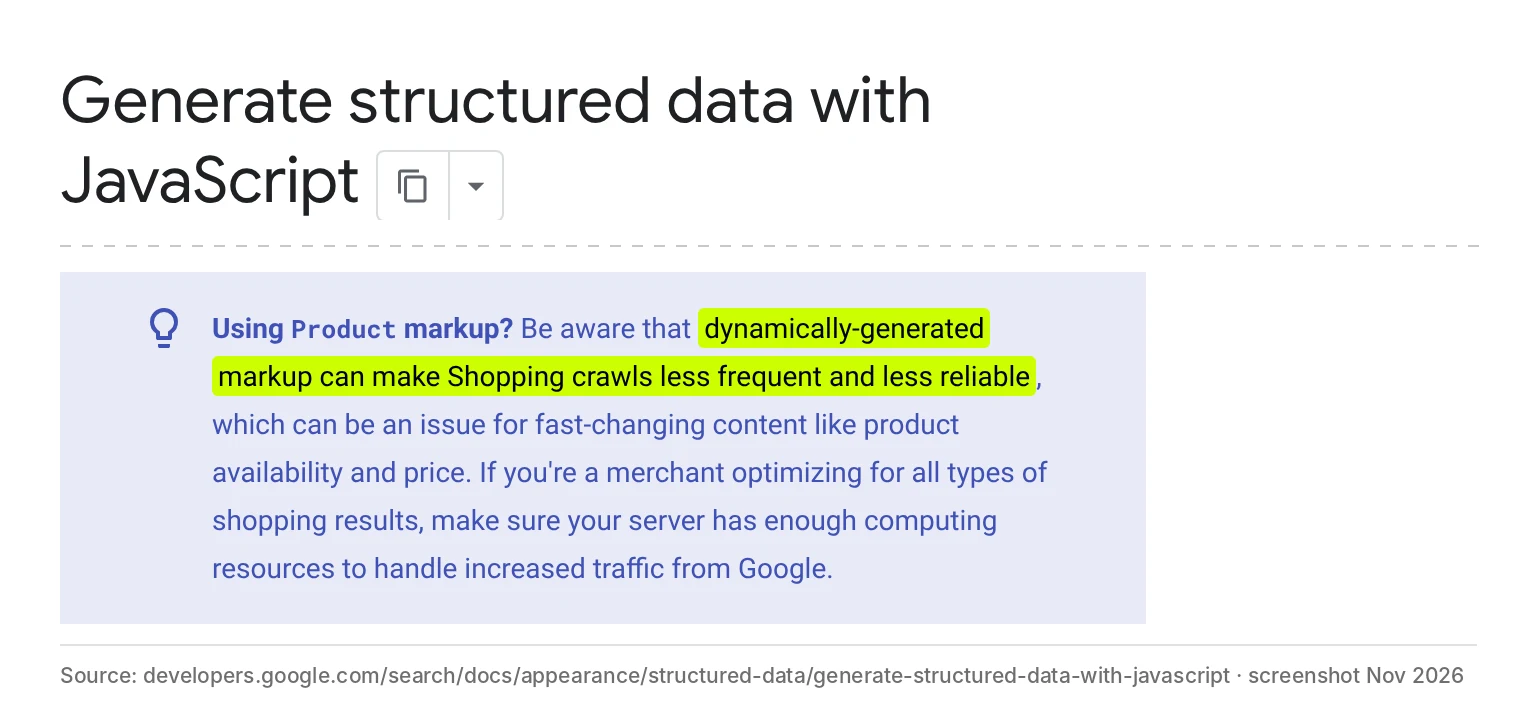
| JSON-LD added by JavaScript | Yes, after rendering | Google warns that for Product this can make Shopping crawls less frequent and less reliable |
| JSON-LD from Google Tag Manager | Yes, after rendering | A risk of mismatch with the page; Google advises caution |
For a store there is one conclusion: Product in the initial HTML. An extra argument: many AI assistant crawlers do not run JavaScript, so they will not see data added by a script at all.
What my audit of 19 Polish stores showed
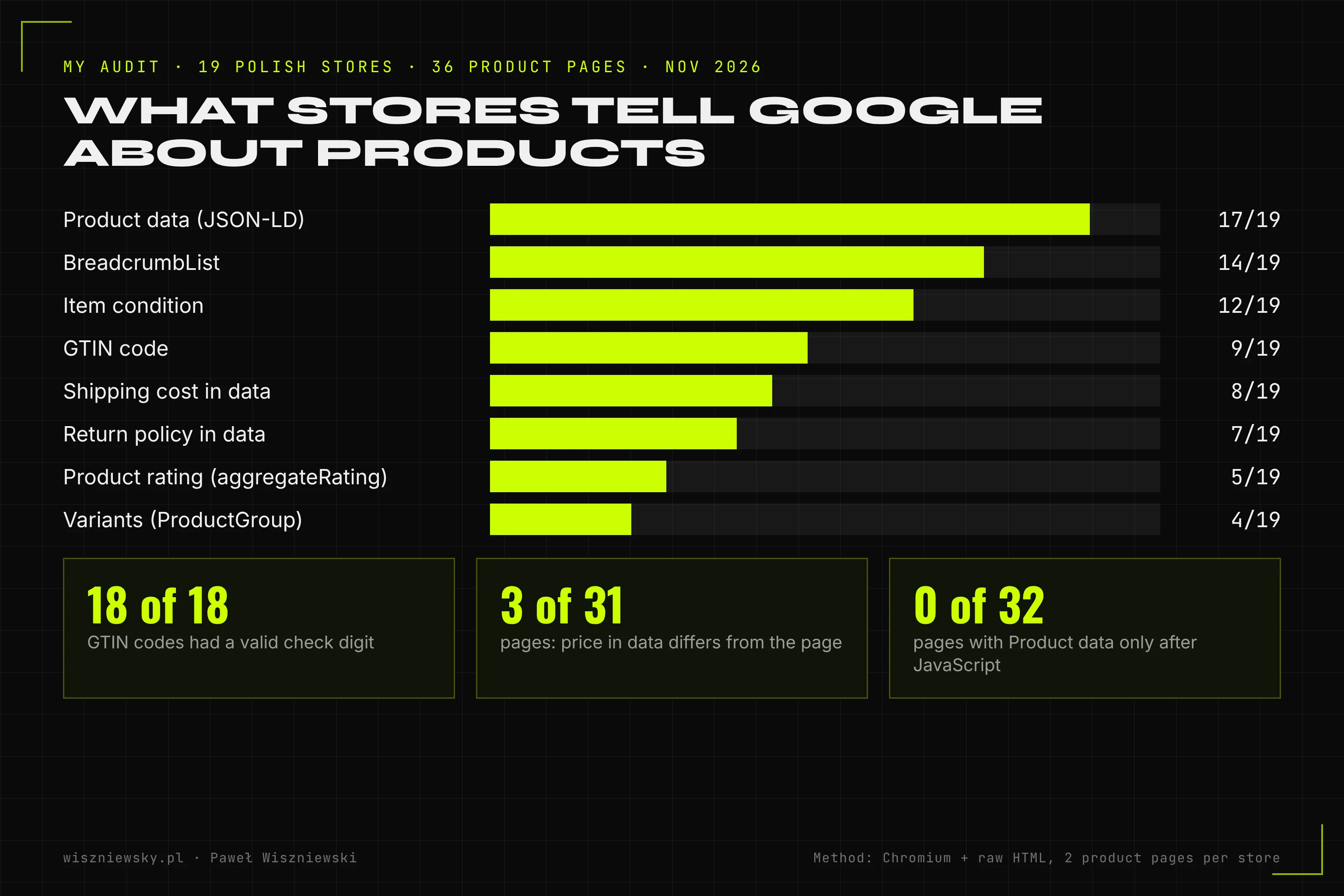
How I checked: in November 2026 a script sampled product URLs from the sitemaps of 23 Polish online stores (electronics, drugstores, pharmacies, fashion, books, home and garden, pet supplies) and opened them in a Chromium browser. It counted a page as a product page if it had an add-to-cart button - regardless of markup. It took two such pages per store. For each it read the JSON-LD after rendering and in the raw HTML, checked the GTIN check digit and compared the price in the data with the prices visible on the page. I have complete results for 36 pages in 19 stores.
| What I checked | Result | Notes |
|---|---|---|
| Product data in JSON-LD | 17 of 19 stores | 2 stores have no Product in JSON-LD; one has microdata only |
| Product already in the raw HTML | 32 of 32 pages with data | No store added Product only with JavaScript |
| GTIN code | 9 of 19 stores | All 18 codes found had a valid check digit |
| Item condition (itemCondition) | 12 of 19 | - |
| Shipping cost in the data | 8 of 19 | At Offer level; only 2 pages had shipping in Organization |
| Return policy in the data | 7 of 19 | Some stores may set it in Merchant Center - I did not check that |
| Product rating (aggregateRating) | 5 of 19 | Some stores show reviews without markup |
| BreadcrumbList | 14 of 19 | - |
| Variants via ProductGroup | 4 of 19 | jysk.pl, agatameble.pl, doz.pl, zooplus.pl |
| Price in the data matches the page | 28 of 31 pages | 3 mismatches described in the pitfall below |
This is what correct data looks like in the Schema.org validator for one of the audited pages - Product with GTIN, SKU and item condition in the raw HTML:
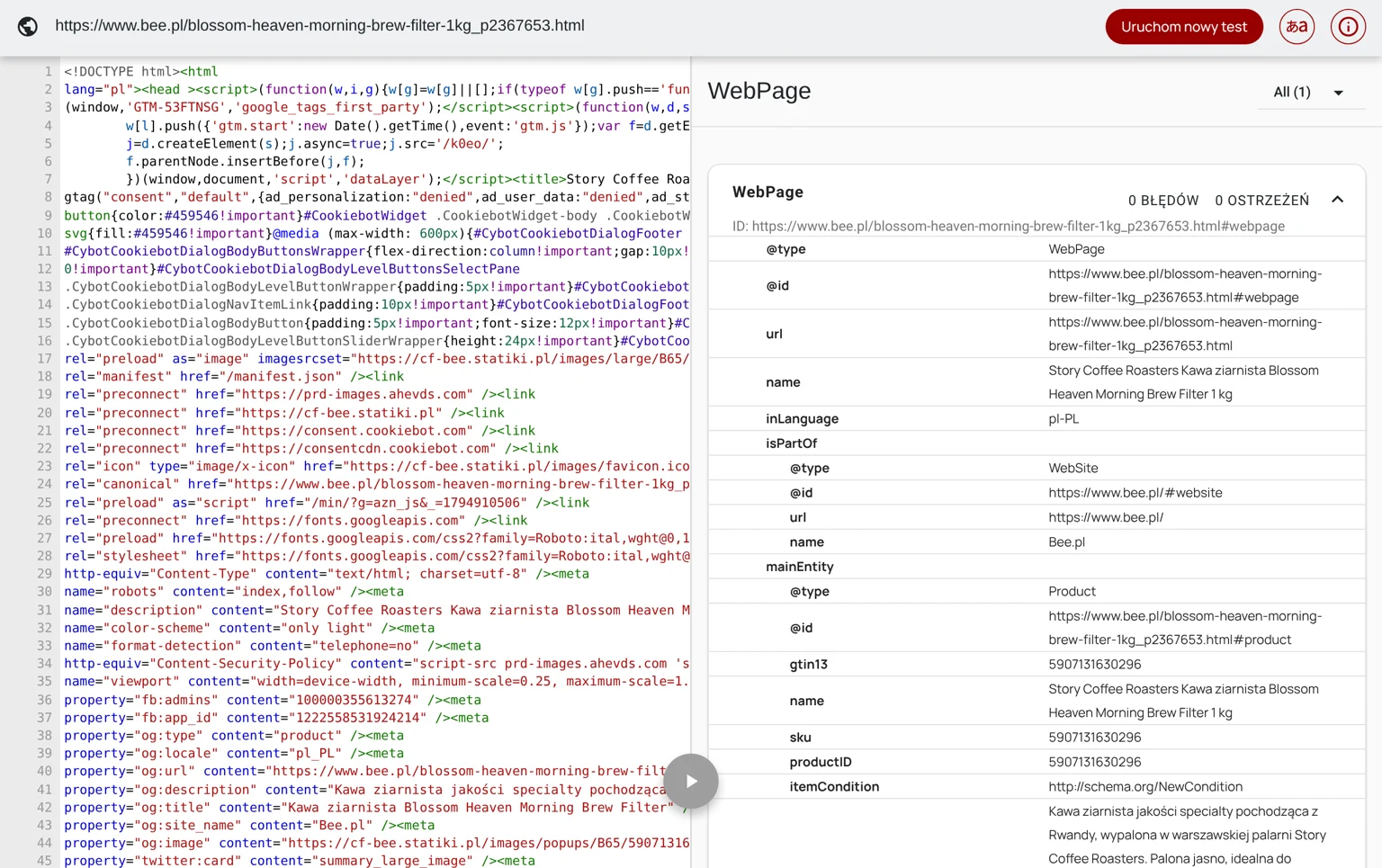
The takeaway: almost every large store has the basics (Product, price, image, brand). The differences are in the data that helps win a comparison: GTIN, shipping and returns appear in half of the stores or fewer, and only 4 stores of 19 describe variants with ProductGroup. Limitations: two pages per store, and return and shipping policies may be set in Merchant Center, which I cannot see.
How much work - two scales
Estimates from my quotes (November 2026) for implementing the data in store templates, excluding preparing source data (GTINs, photos).
| Assumption | Store A: 500 products, no variants | Store B: 20,000 products with variants |
|---|---|---|
| Product and Offer in the product template | 3-6 hours | 6-12 hours |
| Returns and shipping in Organization | 1-2 hours | 2-4 hours (several shipping methods, exceptions) |
| ProductGroup for variants | not applicable | 10-20 hours |
| BreadcrumbList | 1-2 hours | 2-4 hours |
| Testing on a sample and Search Console monitoring | 2-3 hours | 6-10 hours |
| Total | about 7-13 hours | about 26-50 hours |
On platforms such as Shopify or WooCommerce, the theme or a plugin adds some of the data, but usually without GTIN, shipping, returns and variants. I describe the typical gaps in WooCommerce on the WooCommerce SEO page, and I implement full data in store templates as part of my ecommerce SEO work.
Script: check product data on a sample of pages
The script takes a list of product page URLs, extracts Product from the JSON-LD in the HTML and checks: the required properties, a price above zero, the currency, availability, the GTIN check digit and whether the price in the data appears among the prices shown in the page text.
# pip install requestsimport json, re, sysimport requestsdef blocks(html): for m in re.finditer(r'<script[^>]+application/ld\+json[^>]*>(.*?)</script>', html, re.S | re.I): try: data = json.loads(m.group(1)) except ValueError: yield {"_error": "invalid JSON"}; continue stack = [data] while stack: x = stack.pop() if isinstance(x, list): stack.extend(x) elif isinstance(x, dict): yield x stack.extend(v for k, v in x.items() if k in ("@graph", "mainEntity") and isinstance(v, (list, dict)))def gtin_ok(code): d = re.sub(r"\D", "", str(code)) if len(d) not in (8, 12, 13, 14): return False s = sum(int(c) * (3 if i % 2 == 0 else 1) for i, c in enumerate(reversed(d[:-1]))) return (10 - s % 10) % 10 == int(d[-1])for url in [u.strip() for u in open(sys.argv[1]) if u.strip()]: html = requests.get(url, headers={"User-Agent": "Mozilla/5.0"}, timeout=20).text text = re.sub(r"<[^>]+>", " ", html) prods = [b for b in blocks(html) if b.get("@type") in ("Product", "ProductGroup")] if not prods: print("NO Product in HTML:", url); continue p = prods[0] if p.get("@type") == "ProductGroup" and p.get("hasVariant"): p = p["hasVariant"][0] offer = p.get("offers") or {} offer = offer[0] if isinstance(offer, list) else offer problems = [f for f in ("name", "image") if not p.get(f)] price = offer.get("price") if not price or float(price) <= 0: problems.append("price missing or 0") if not offer.get("priceCurrency"): problems.append("no currency") if not offer.get("availability"): problems.append("no availability") gtin = next((p[k] for k in ("gtin13", "gtin", "gtin14", "gtin12", "gtin8") if p.get(k)), None) if gtin and not gtin_ok(gtin): problems.append(f"bad GTIN check digit {gtin}") if price: shown = {f"{float(price):.2f}".replace(".", ","), f"{float(price):.2f}"} if not any(s in text for s in shown): problems.append(f"price {price} not found in page text") print("OK" if not problems else "PROBLEMS", url, "; ".join(problems))
Note: the script reads raw HTML, so prices inserted with JavaScript can trigger a false alarm in the price comparison. In that case check the page by hand or use a headless browser (e.g. Playwright), as in my audit.
Production pitfall: a price in the data that differs from the page
In 3 of 31 audited pages the price in the data did not match the price the shopper saw. In all three cases the data and the visible price apparently came from different places in the store.
| Store | Price in the data | Price on the page | Likely cause |
|---|---|---|---|
| zooplus.pl | PLN 20.77 | PLN 25.96 (selected variant) | The data gives the price of a different variant than the one selected on the page |
| ezebra.pl | PLN 89.00 | PLN 69.99 | The data has the regular price, the page shows the sale price |
| doz.pl | PLN 51.99 | PLN 59.79 | The data gives a different price than the page; I could not establish why from outside |
Google says it may verify product data before showing it in results, and for data added through Tag Manager it warns about the risk of a mismatch between page content and markup. A price mismatch is a quick route to disapproved offers in Merchant Center and to a result that promises a different price than the cart.
The fix: the price in JSON-LD must come from the same source and the same logic as the displayed price - sale price included. With variants, the Offer must refer to the variant selected at that URL. Add a test in the template or in monitoring (the script above) that compares both prices on a sample of pages after every price list change.
What not to do
- Do not put a currency sign or spaces in price - only a number with a dot, with the currency separately in priceCurrency.
- Do not use a price of 0 for unavailable products - use availability: OutOfStock.
- Do not add the data only through Tag Manager or a script after page load.
- Do not repeat return and shipping policies on thousands of pages if you can provide them once in Organization or Merchant Center.
- Do not mark up ratings that are not on the page, and do not make up reviews.
- Do not give all variants the same SKU - every variant needs a unique identifier.
- Do not add GTINs without checking the check digit.
FAQ
I describe the order of all store work in the ecommerce SEO strategy. If you want me to review the structured data in your store and implement fixes in its templates, see ecommerce SEO.
Services related to this topic
Need these concepts implemented? Explore the services related to this topic.
Sources
- 01Google Search Central - Introduction to Product structured data
- 02Google Search Central - Merchant listing (Product, Offer) structured data
- 03Google Search Central - Product snippet structured data
- 04Google Search Central - Product variant structured data (ProductGroup, Product)
- 05Google Search Central - Merchant return policy structured data
- 06Google Search Central - Merchant shipping policy structured data
- 07Google Search Central - Breadcrumb structured data
- 08Google Search Central - Review snippet structured data
- 09Google Search Central - Generate structured data with JavaScript
- 10Schema.org Validator
- 11Vercel - The rise of the AI crawler (December 2024)
Related articles
Ecommerce Pagination SEO - Canonical, noindex, Load More or Infinite Scroll (an Audit of Polish Stores)
How to set up category pagination so Google finds every product: pagination, load more or infinite scroll, canonical and noindex on pages 2+, rel=next, titles, page URLs, filters, an audit of Polish stores, a script and the most common mistakes.
Ecommerce Indexing - Why Google Is Not Indexing Your Products and Categories and How to Fix It
Why Google is not indexing products and categories: Search Console statuses translated into store causes, Discovered vs Crawled - currently not indexed, unavailable and discontinued products, variants, the sitemaps of 30 Polish stores, a URL Inspection API script and the lastmod pitfall.
Ecommerce Faceted Navigation and SEO - Which Filters to Index and Which to Block (noindex, canonical, robots.txt)
Which ecommerce filters to index and which to block: a rule with thresholds, noindex vs canonical vs robots.txt vs nofollow in one table, a check of filters in 11 Polish stores, Shopify, WooCommerce, PrestaShop and IdoSell defaults, URL counts at two scales, robots.txt rules, a script and two pitfalls.

Signal received?
Book a free consultation
Initiate protocol. Establish connection. Let's build something loud.